Split any receipt, in any language.
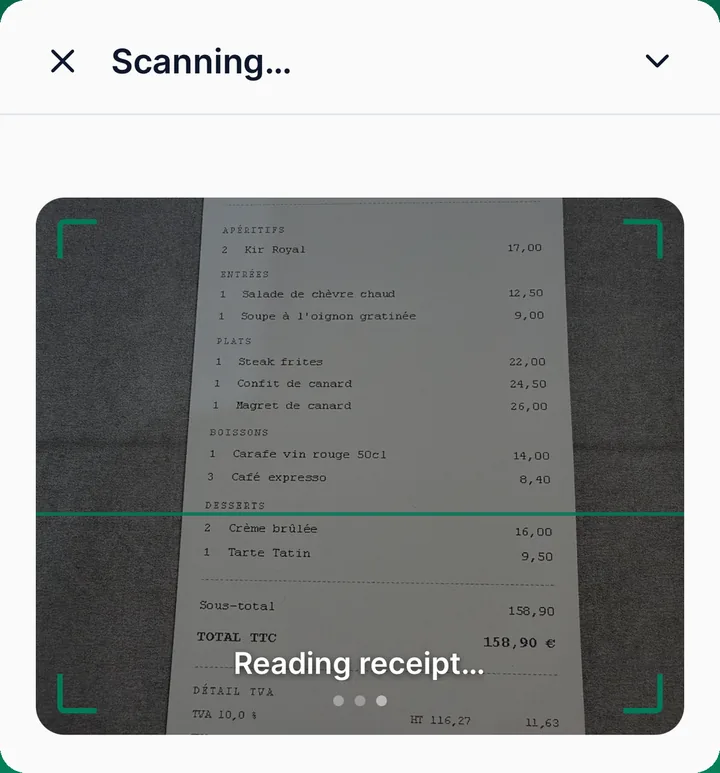
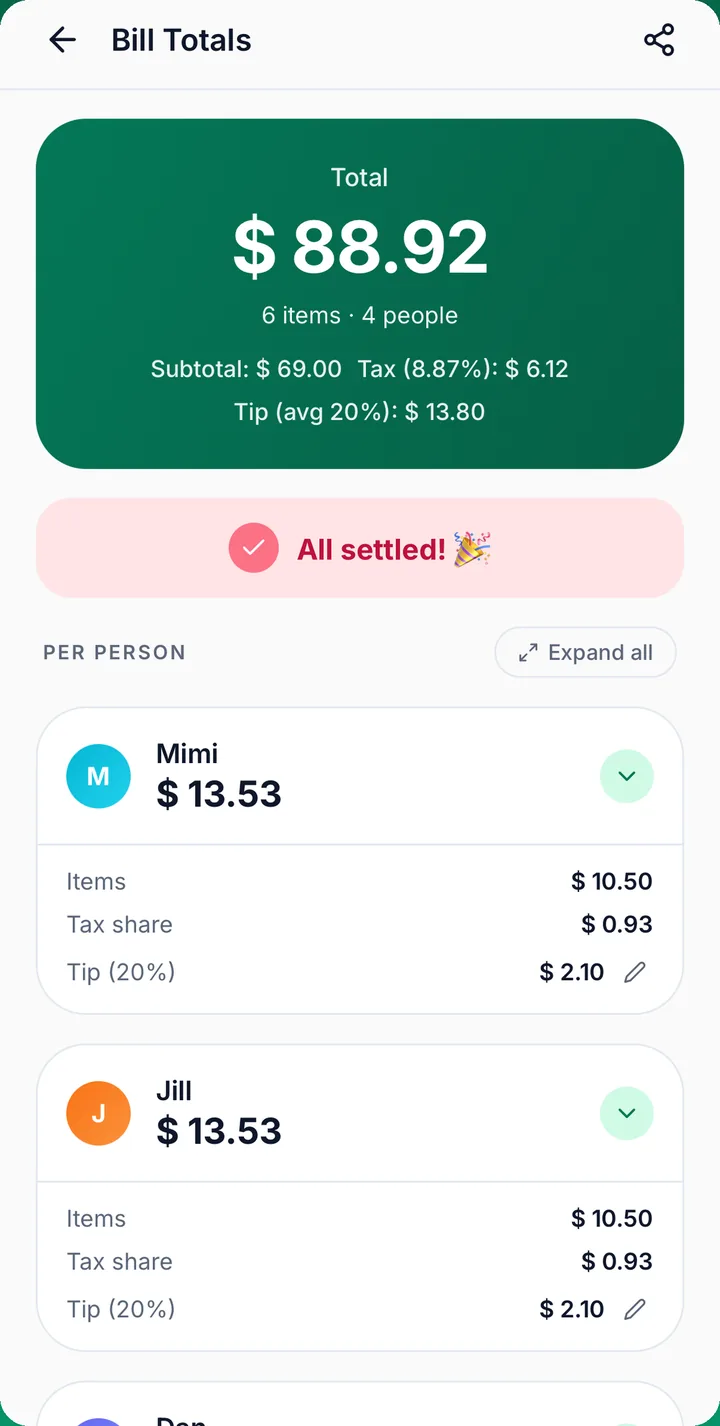
Snap the check. TallyBill reads every line, translates it, and shows exactly what each person owes — tax, tip and discounts included.
- Reads receipts in any language
- Translates items into 49 languages
- Friends join in a browser
- Free — no ads, no in-app purchases
From receipt to “you're square” in under a minute
No math at the table. No typing prices. No one paying for a drink they didn't have.
Scan the receipt
Point the camera at the check. TallyBill reads each item and price, in any language, and translates the names for you.
Tap who had what
Everyone gets a color. Tap a person onto each item. Shared a plate? Tap two people and it splits evenly.
Everyone sees their total
Each person's exact share, with tax, tip and discounts on what they had. Send the join code so friends can check it.
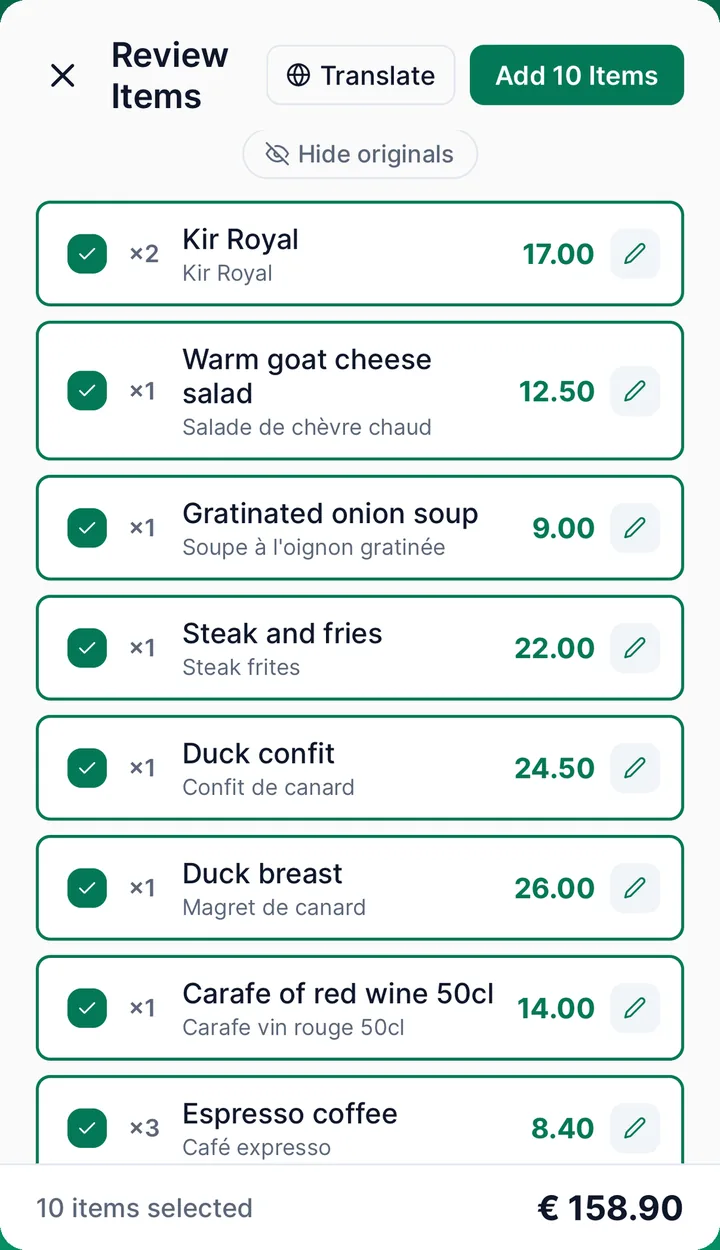
Reads the receipt. Translates every item.
- עברית
- Español
- 日本語
- العربية
- Français
- ไทย
On a trip, the bill is often in a language nobody at the table reads. TallyBill pulls out each item and price anyway. Tap Translate to see the names in any of 49 languages, with the original underneath.
- Check and edit every item before it goes on the bill.
- If the items don't match the printed total, you get a warning.
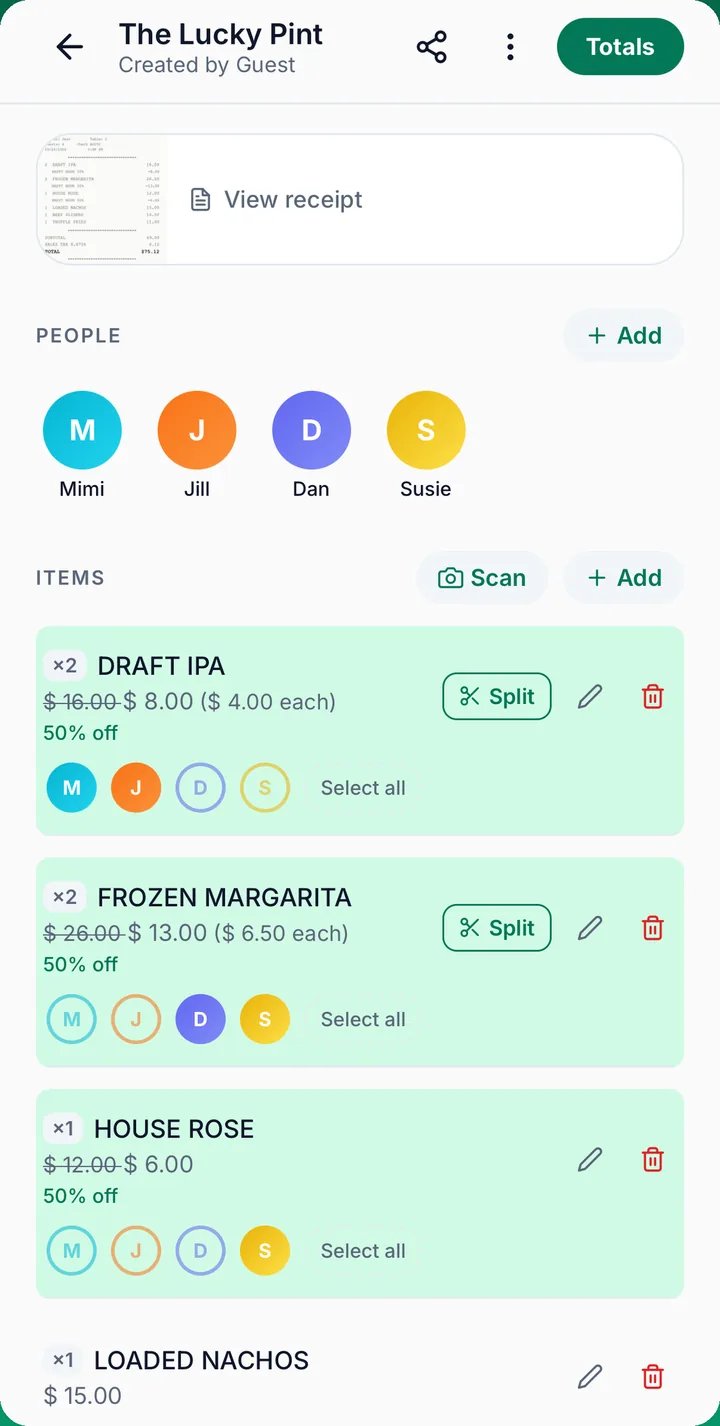
Everyone gets a color. Every item gets a person.
No more “wait, who ordered the burger?” Tap the people who had each item. Shared plates split evenly, down to the cent.
- Two pizzas on one line? Split it into two items. One person had one, and two people shared the other.
- Save your regular group as a Circle and add them in one tap.
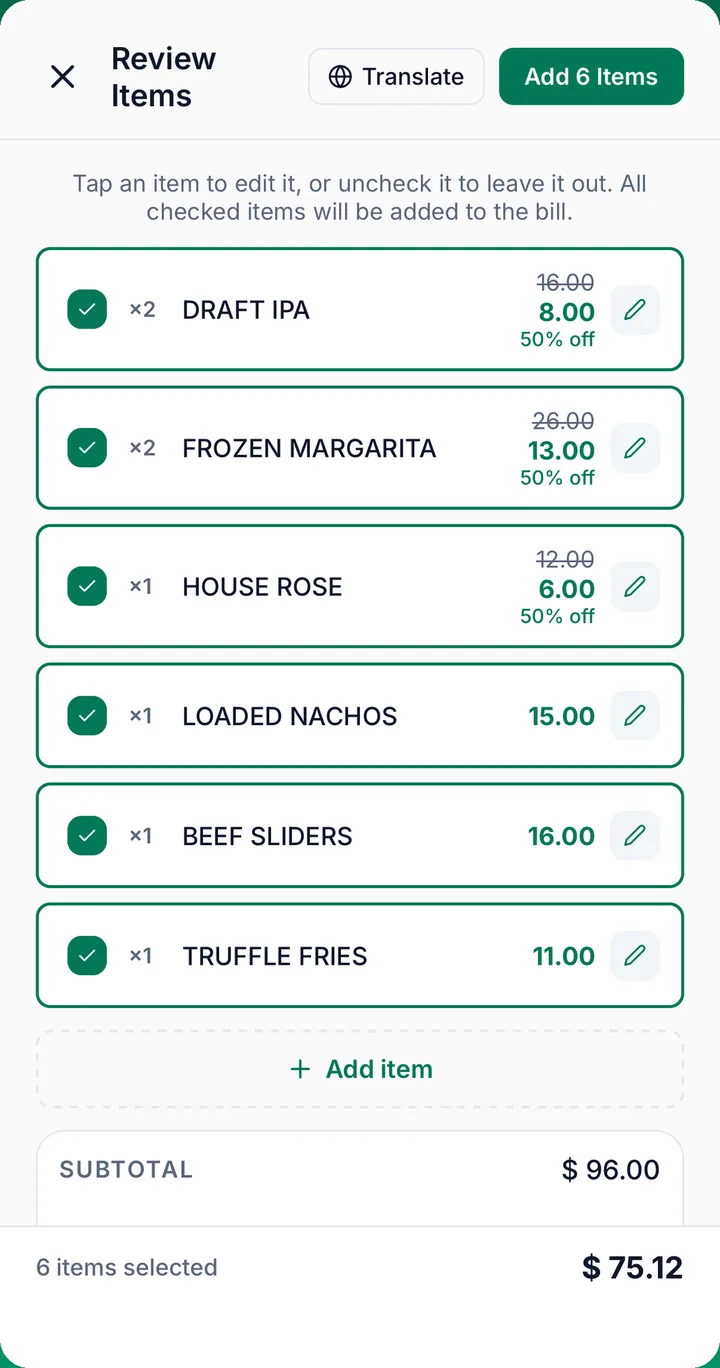
Discounts come off the right items.
Happy hour, 2-for-1, money off — TallyBill reads the discount on the receipt and takes it off the items it belongs to. So the person who had the half-price drink gets the half price.
- Each discounted item shows its old price and “50% off”.
- You choose which items a discount covers.
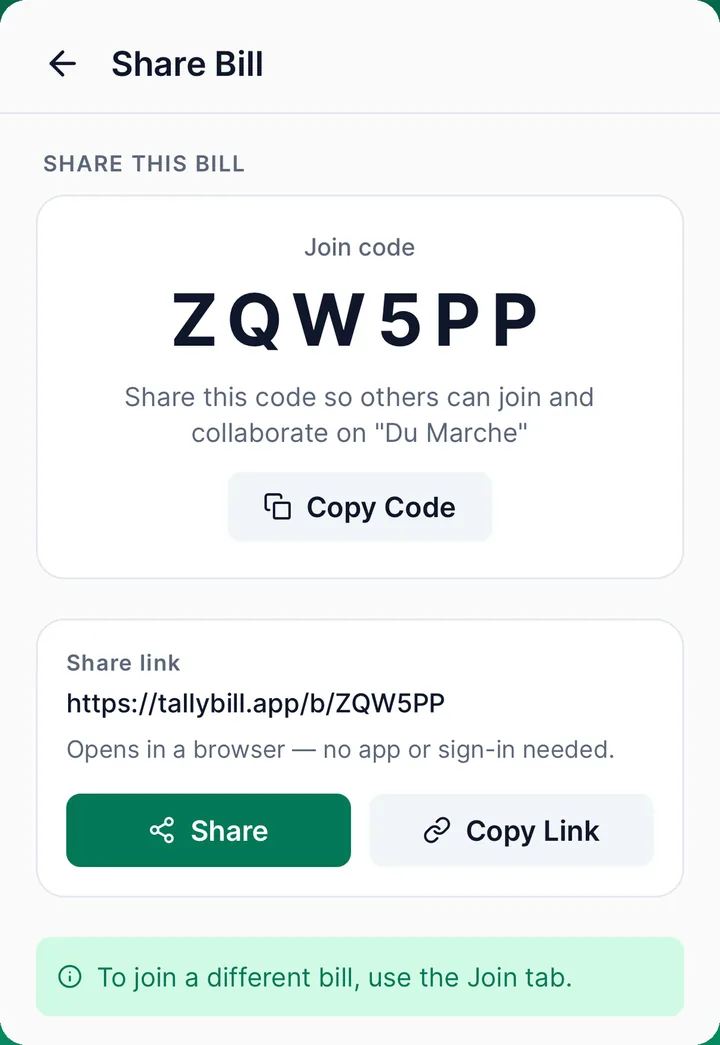
Send a code. They're in.
Every bill gets a 6-character join code and a link. Friends open it in any browser, on a phone or a laptop, and tap what they had.
- No download. No sign-up. Android works too.
- Everyone sees the same bill, so nobody has to trust one person's math.
Small app. Solves the whole table.
Tax and tip that add up
Printed tax is filled in for you. Set the tip as a percentage or an amount. Both are shared by what each person had.
A different tip for one person
Someone wants to tip more, or less? Change the tip just for them. Everyone else stays the same.
Checks the printed total
If the scanned items don't add up to the total on the receipt, TallyBill tells you before anyone pays.
Circles for your regulars
Roommates, the lunch crew, the trip gang. Save the people you split with, so you don't add them every time.
Knows your currency
Shekels stay shekels, euros stay euros. TallyBill picks the currency for where you are.
No account required
Open the app and split as a guest. Make an account only when you want to keep your bills.
What's new
Fewer fixes after the scan. Totals you can trust.
- Discounts read off the receipt and taken off the right items.
- A warning when the scan doesn't match the printed total.
- Tax filled in from the receipt.
- Pull to refresh in Circles.
Two taps and you're splitting
TallyBill is free on the App Store, for iPhone. No ads, no subscriptions, no in-app purchases.
Friends not on iPhone?
They don't need the app. Send the join code and they can open the bill in any browser, on Android or a laptop.
The bits people ask about
Do my friends need the app to join a bill?
No. Send them the 6-character join code or the link. The bill opens in any browser, on a phone or a laptop. They can tap the items they had, not just see the total. No download and no sign-up.
Which languages can it read?
TallyBill reads receipts in many languages, including Hebrew, Spanish, Japanese, Arabic, French and Thai. Tap Translate to see the item names in any of 49 languages. The original text stays underneath.
Does it handle happy hour and other discounts?
Yes. TallyBill reads discounts printed on the receipt, like happy hour, 2-for-1 and money off, and takes them off the items they belong to. Each discounted item shows its old price and how much was taken off. You can choose which items a discount covers.
What if the scan gets something wrong?
You check every item before it goes on the bill, and you can edit any name or price with a tap. If the items do not add up to the total printed on the receipt, TallyBill shows a warning, so you can fix it before anyone pays.
How are tax and tip divided?
In proportion to what each person had. Someone with a 20 dish pays less tax and tip than someone with a 60 dish. When the receipt shows the tax, TallyBill fills it in for you. Set the tip as a percentage or an amount, and change it for one person if you need to.
Do I have to make an account?
No. Guest mode lets you scan and split a bill right away. Make an account only when you want to keep your bills and Circles.
Is there an Android app?
Not yet. TallyBill is for iPhone. Friends on Android or a laptop can still join any shared bill in their browser with the join code.
What does TallyBill cost?
Nothing. TallyBill is free. There are no ads, no subscriptions and no in-app purchases. It works out who owes what. You settle up the way you normally do.
What happens to my data?
The privacy policy explains what TallyBill keeps and how to delete it. For anything else, see support or email support@tallybill.app.
Dinner's done. Math's done too.
Split the bill, not the friendship. Free for iPhone.